 PennyWrite
Write the book.
Hear the ding!
PennyWrite is the writing app that cheers you on. Every word feeds your companion, every streak earns a prize, and a vintage typewriter rings its bell at the end of each line. Underneath sit the real tools that turn a draft into a finished book.
Free to download and look around · $49.99 one-time to start writing · Buy now
No account. Your writing stays in your own files.
Try the typewriter in your browser →
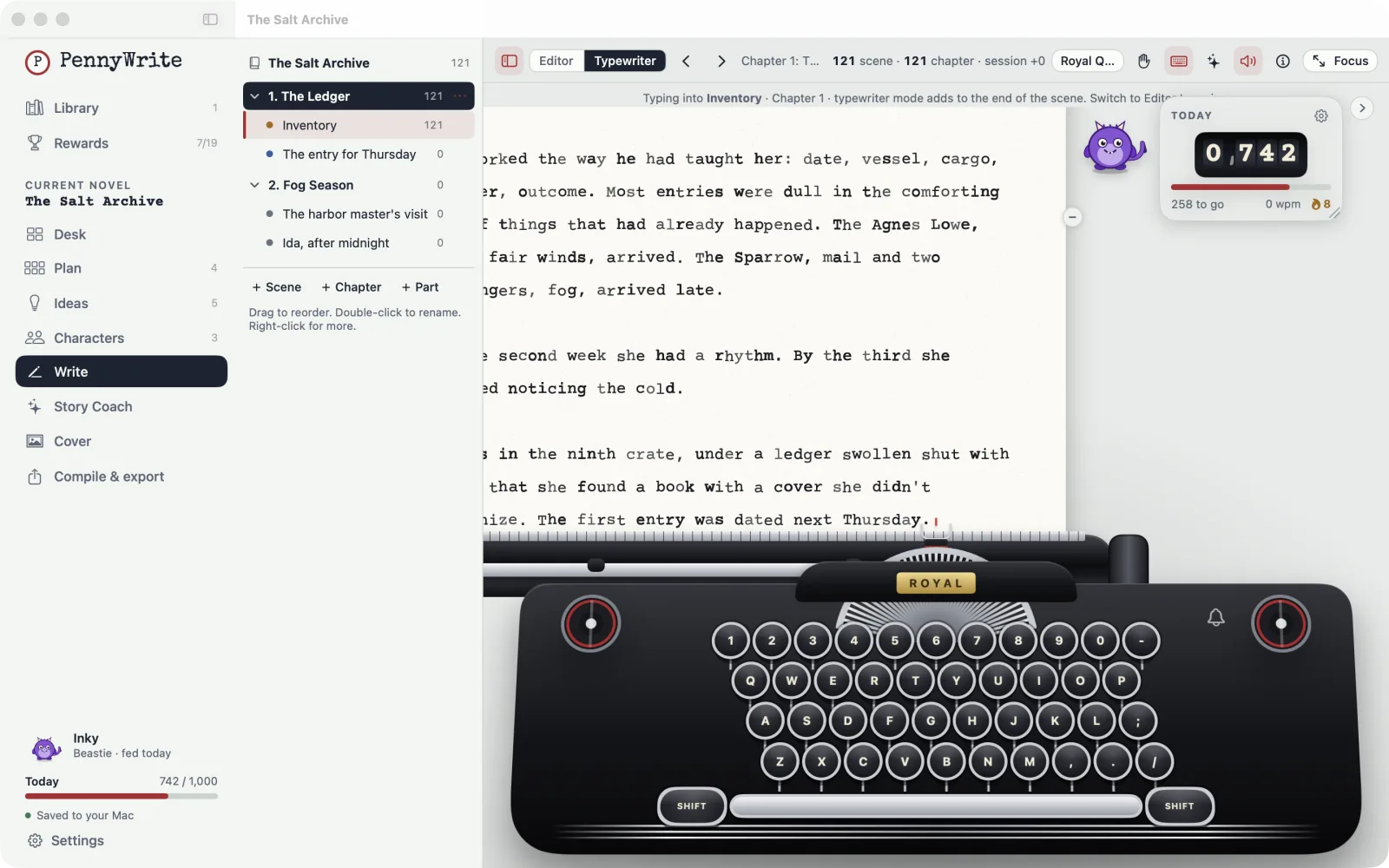
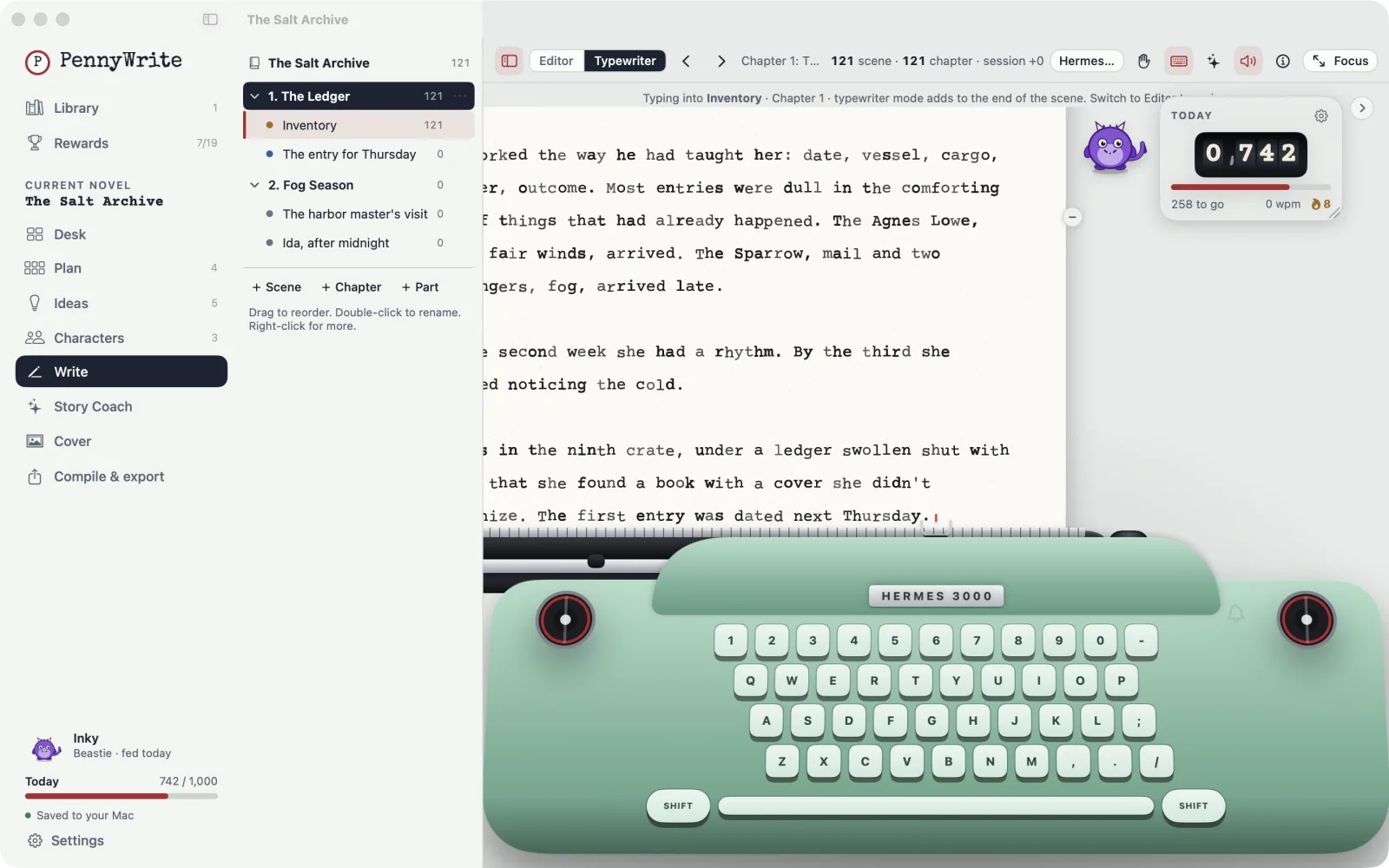
Thirteen typewriters. One sentence at a time.
Pick a machine and write the way the greats did: forward only, one line at a time. Every typewriter is drawn natively in the app, with realistic key strikes, the carriage return and that bell. Turn on virtual hands if you want to watch yourself type.
- 13 vintage machines, from a 1900s upright to a 1980s electric
- Real key, bell and carriage sounds, with volume control
- Papers, ribbons and color finishes you unlock by writing
- Prefer quiet? Switch to the clean editor any time
Typewriter names are trademarks of their owners and are used only to describe the models that inspired each drawing. PennyWrite isn't affiliated with them.
Words are food. Feed your friend.
Every word you write helps your companion grow. Skip a day and they get hungry; keep going and they change in ways you'll want to see. Pick one and grow it from the first page to "The End".
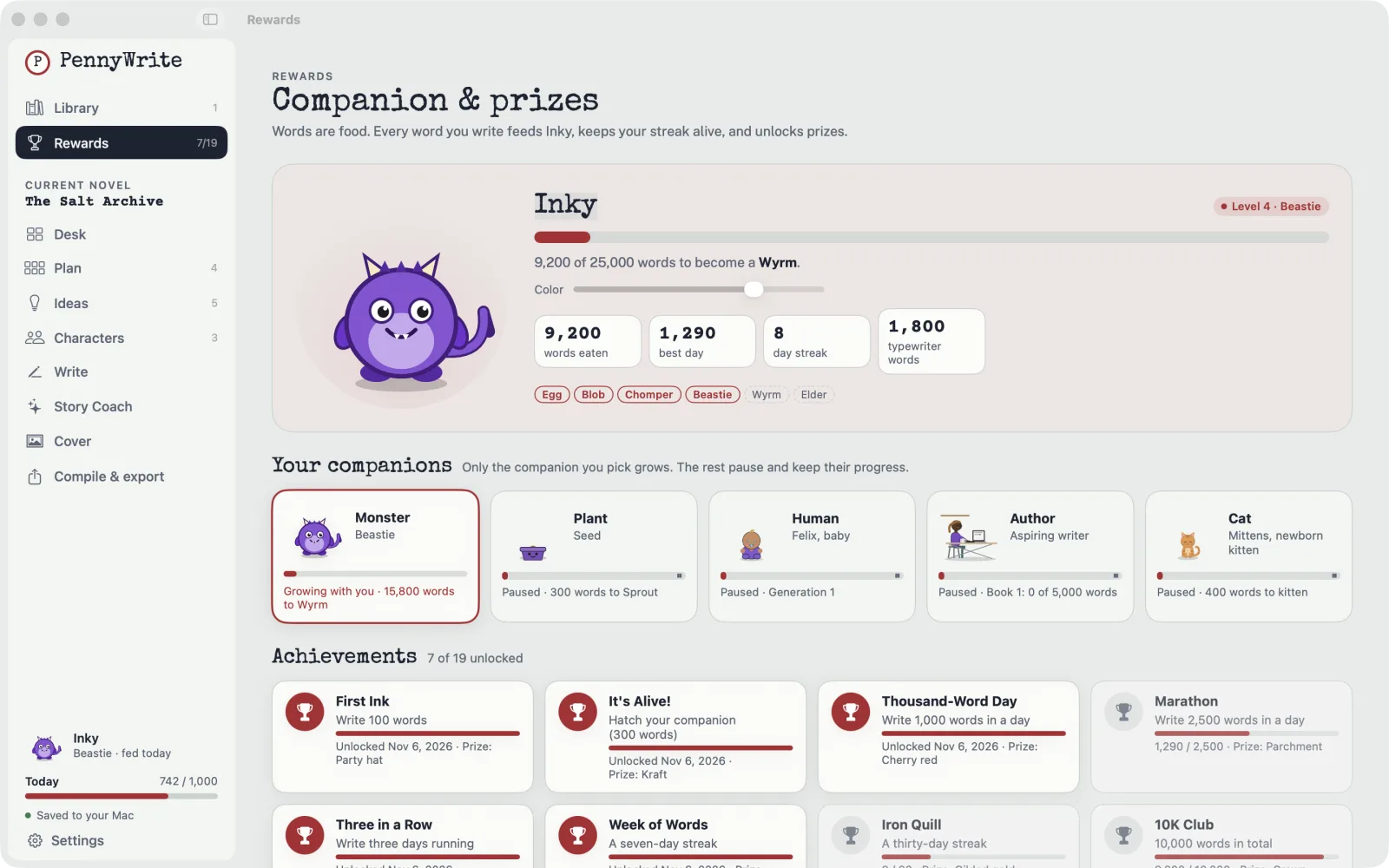
Little wins, out loud.
Confetti for your first hundred words. A prize for a thirty-day streak. Achievements unlock hats, papers and typewriter finishes, so your desk looks a little more like you every week.
The fun is on top. The craft is underneath.
PennyWrite has everything you need to plan, draft and publish a novel, laid out so it never feels like paperwork.
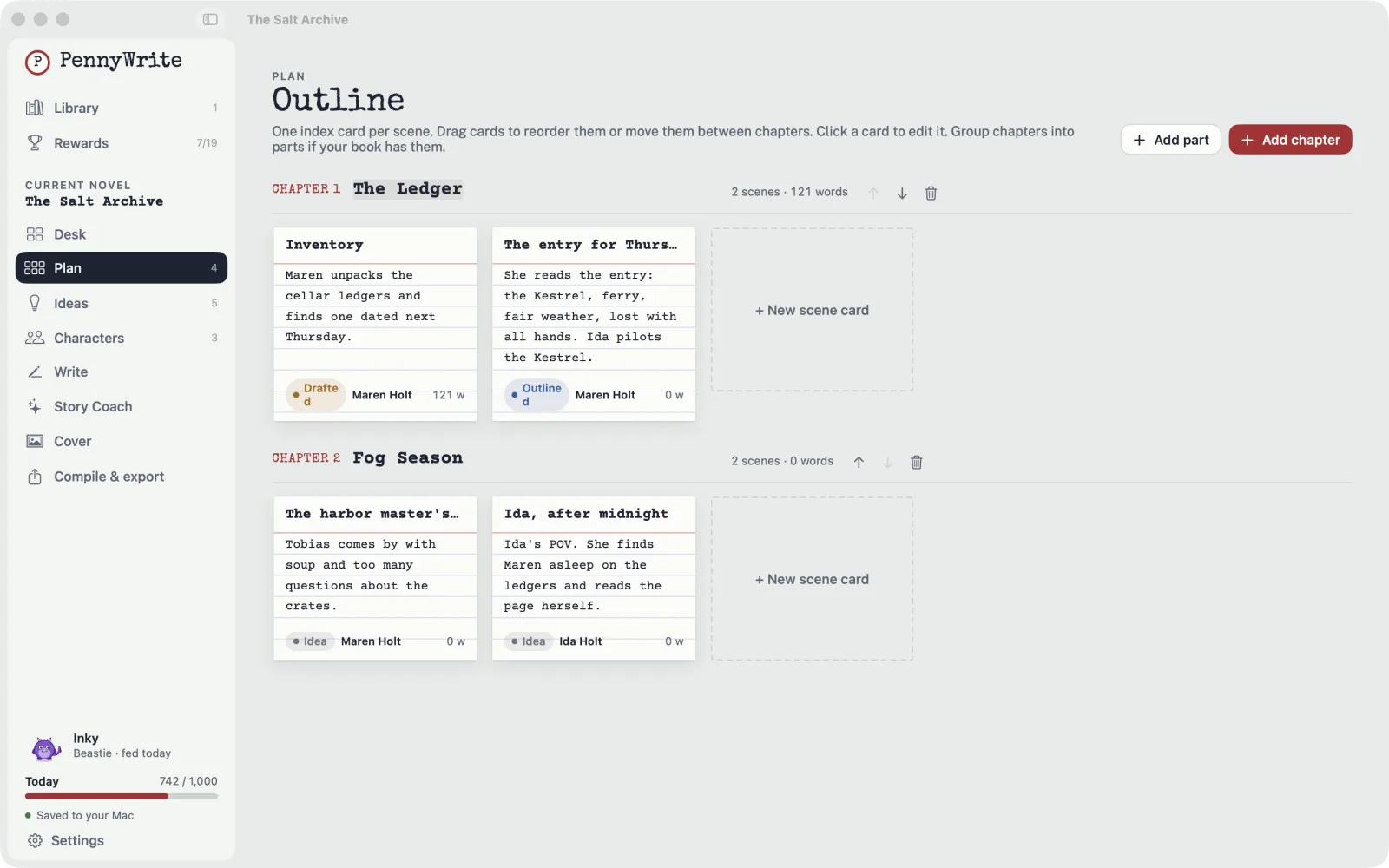
Plan board
One index card per scene. Drag to reorder, group into chapters, and see your whole book at a glance.
Characters
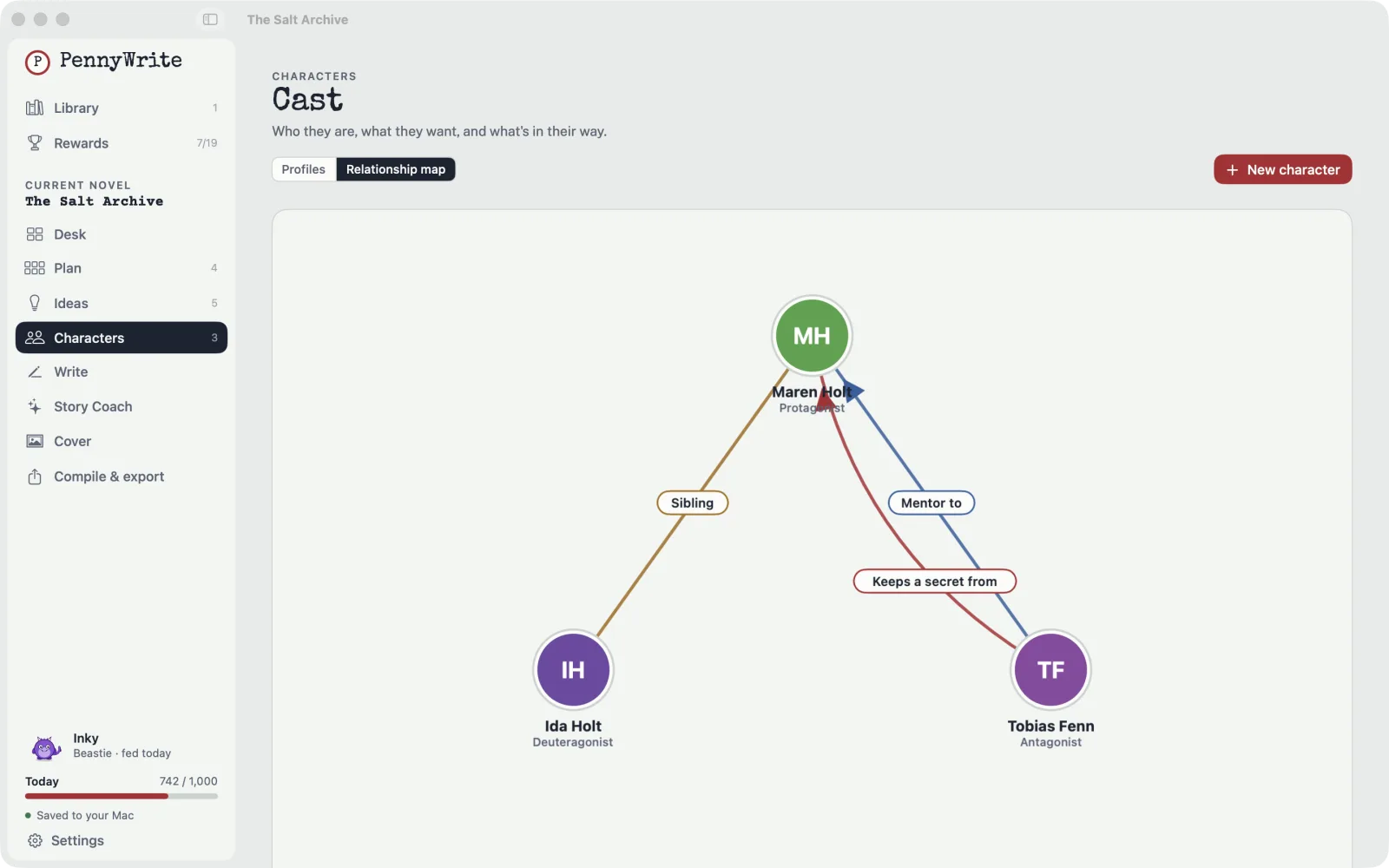
Profiles with wants, needs, flaws and arcs, photos, and a relationship map of who's who.
Ideas inbox
Catch every stray thought. Add #tags to sort it, pin the good ones, turn them into scenes.
Manuscript editor
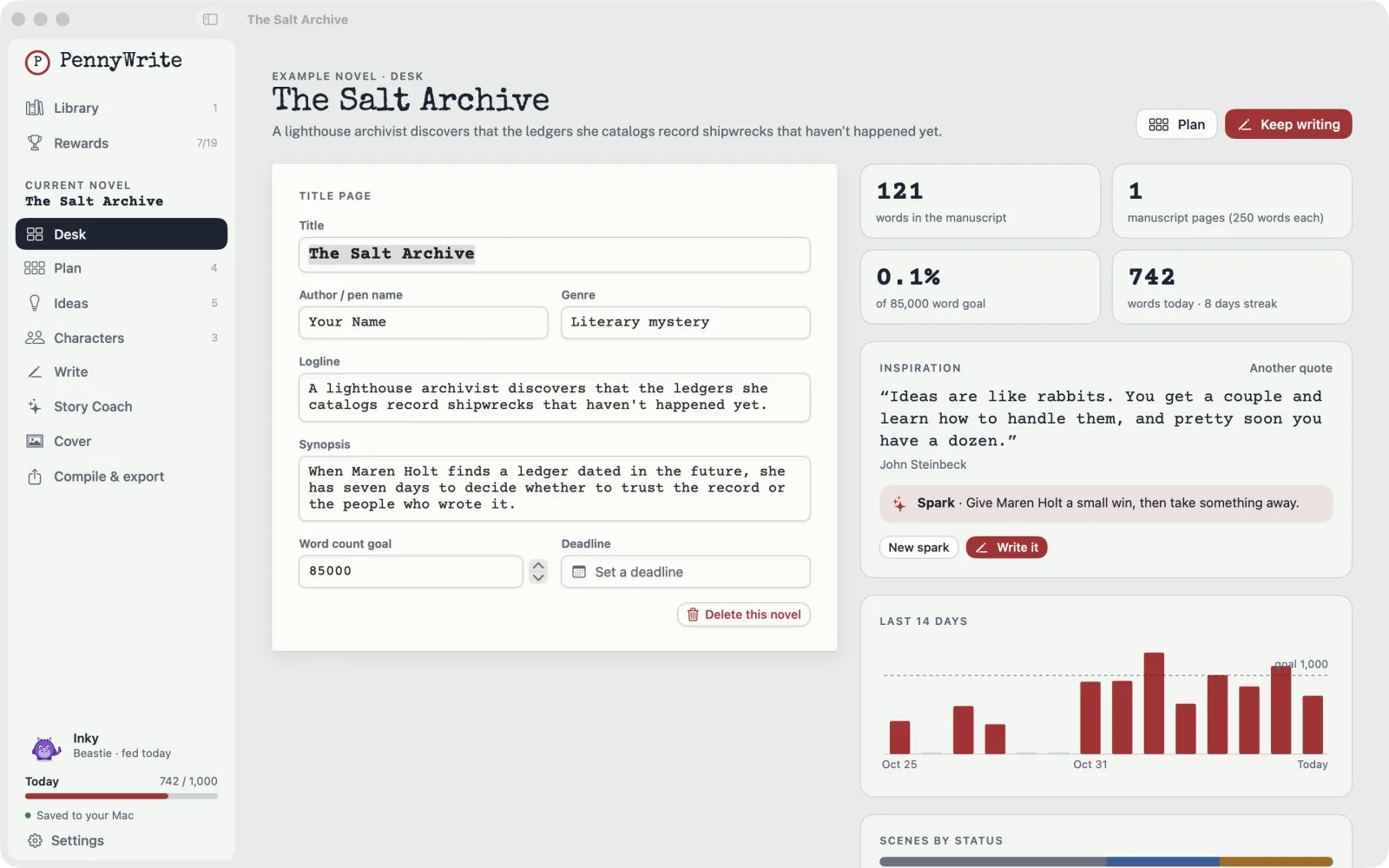
A binder of chapters and scenes, rich text, scene status, and a focus mode that hides everything else.
Goals & streaks
Daily, scene and session goals, a live word counter, words-per-minute and a deadline tracker.
Export & covers
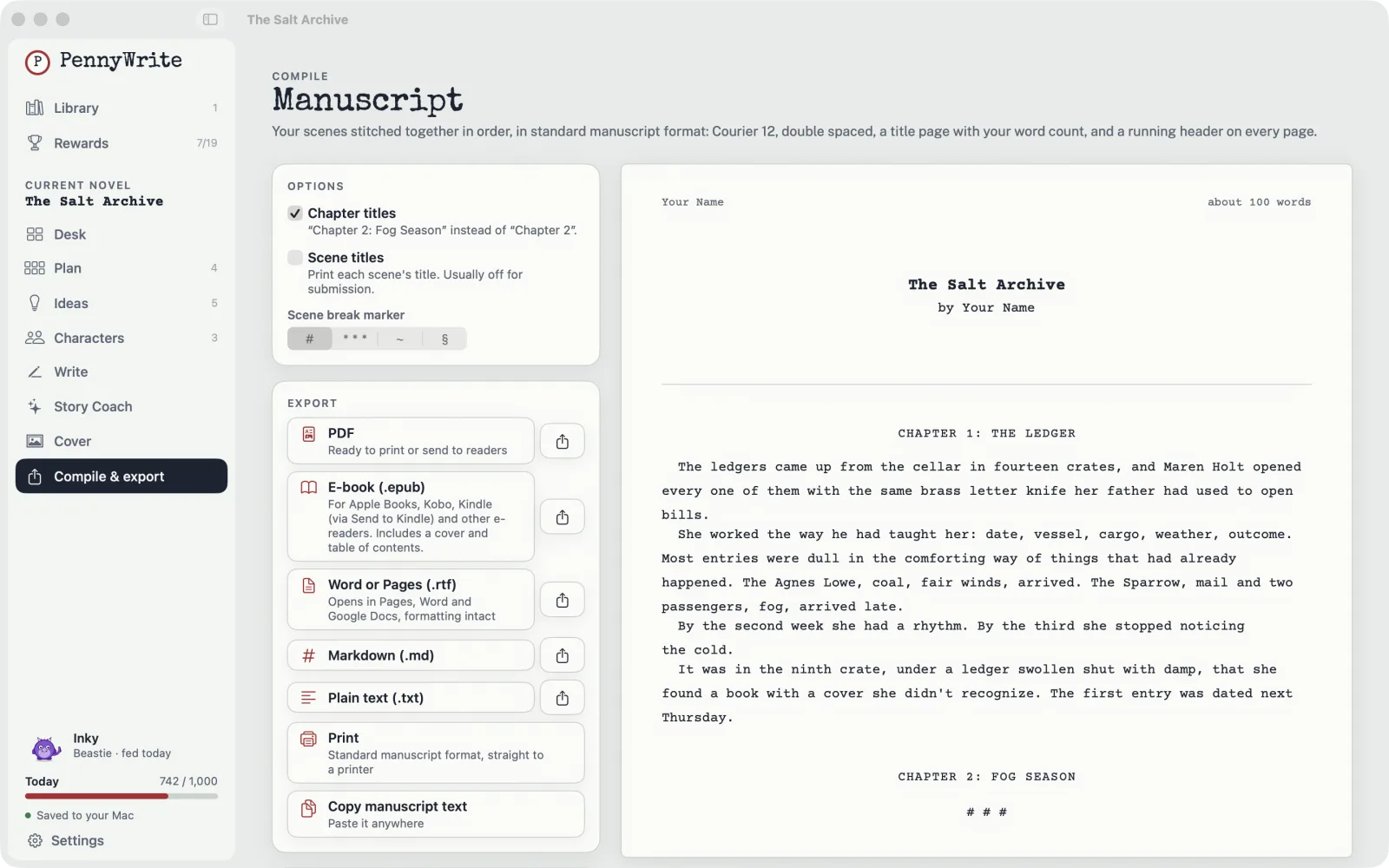
EPUB, PDF, RTF for Word and Pages, and Markdown in standard manuscript format, plus a cover designer.
A second opinion, never a ghostwriter.
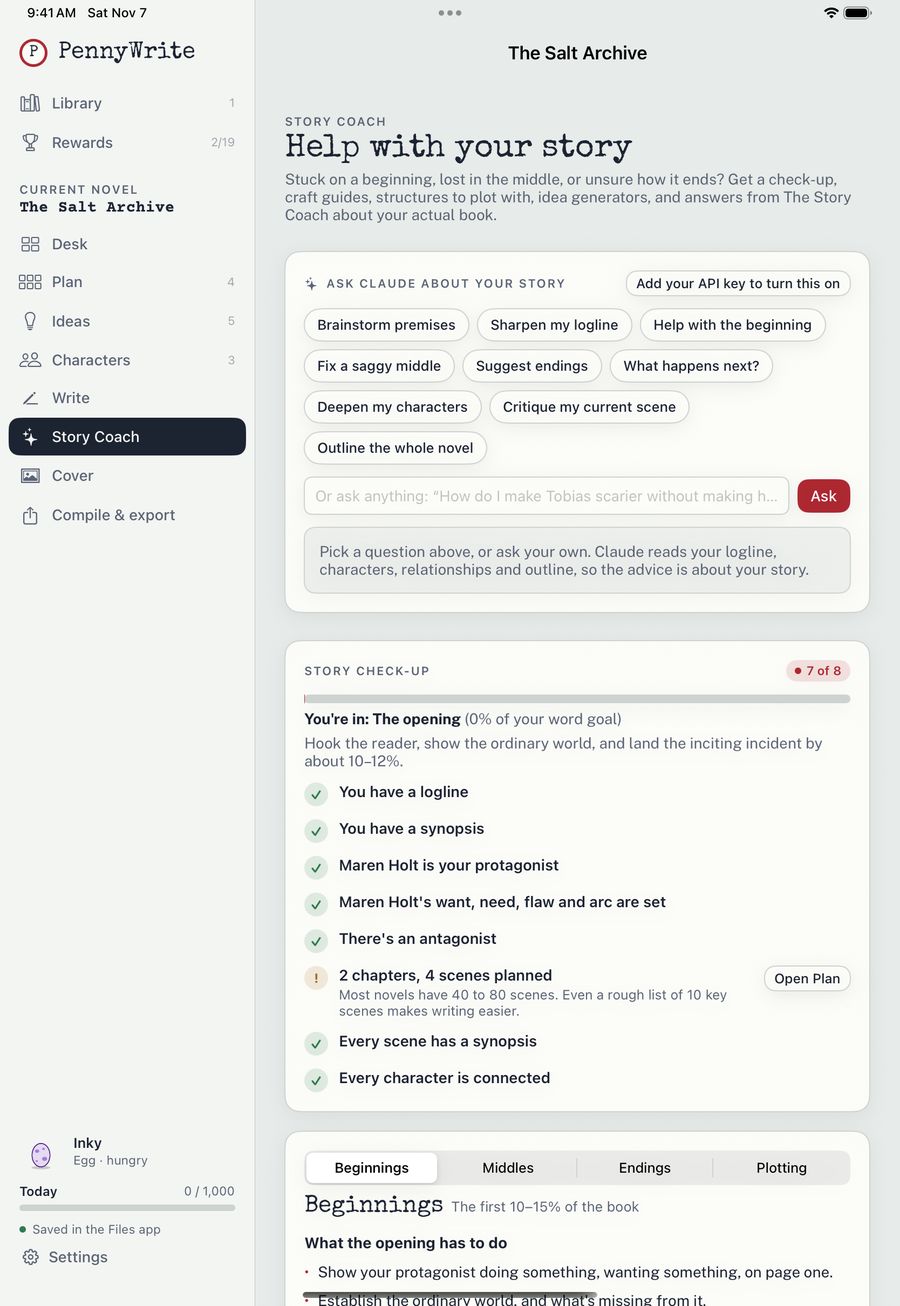
Stuck in the middle? Story Coach can check your plan for missing pieces, suggest how to fix a saggy middle, or help you deepen a character. It never writes into your manuscript, and it only runs when you ask.
Story Coach is built in with PennyWrite Pro (50 questions a day), and it asks before it sends anything. Prefer Claude? You can use your own Anthropic API key instead.
A native app on both. Your files, your folder.
PennyWrite is built natively for each device, so it's fast, works offline and feels at home. Keep your library in iCloud Drive, Google Drive or Dropbox, and pick up on your iPad where you left off on your Mac.
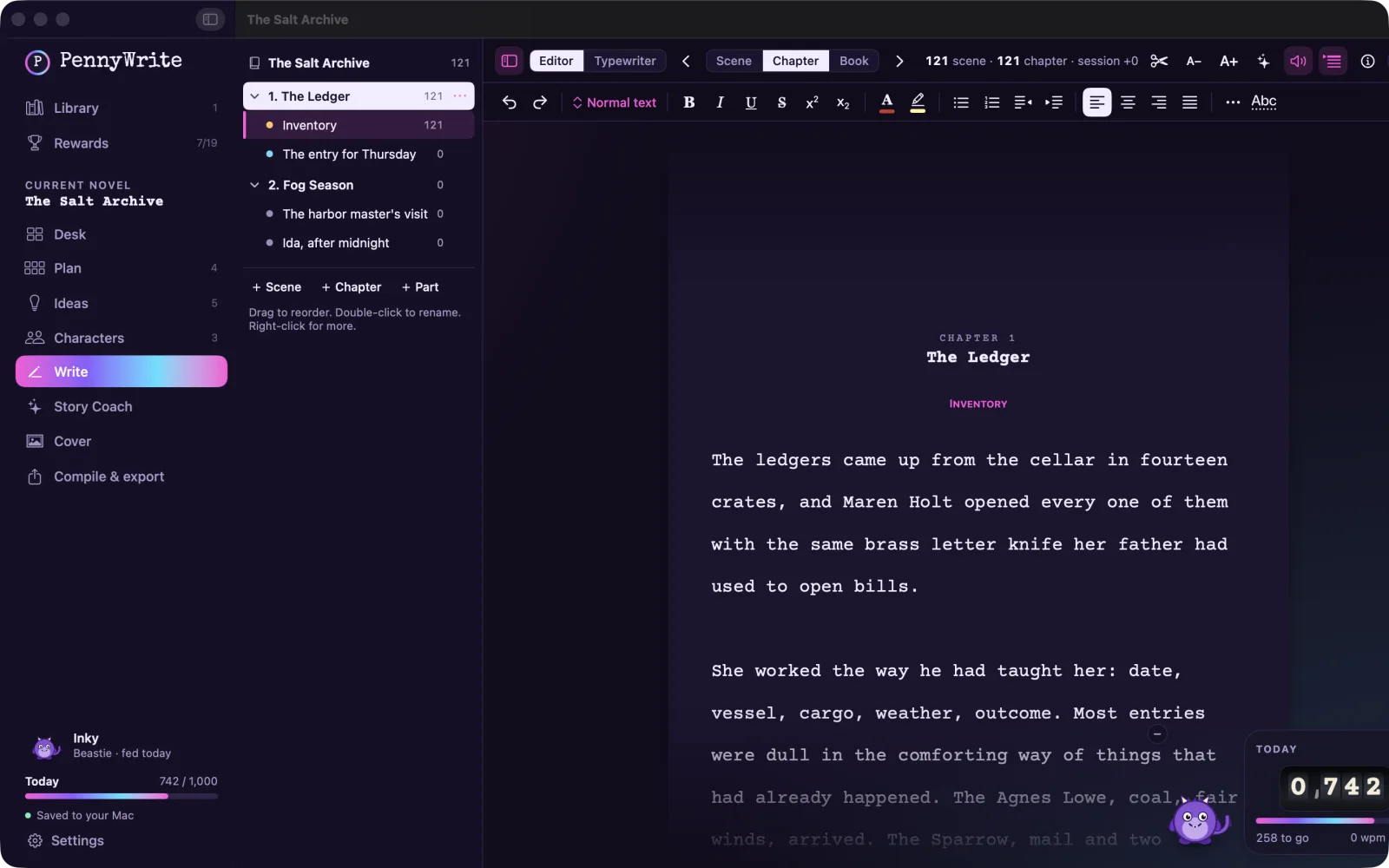
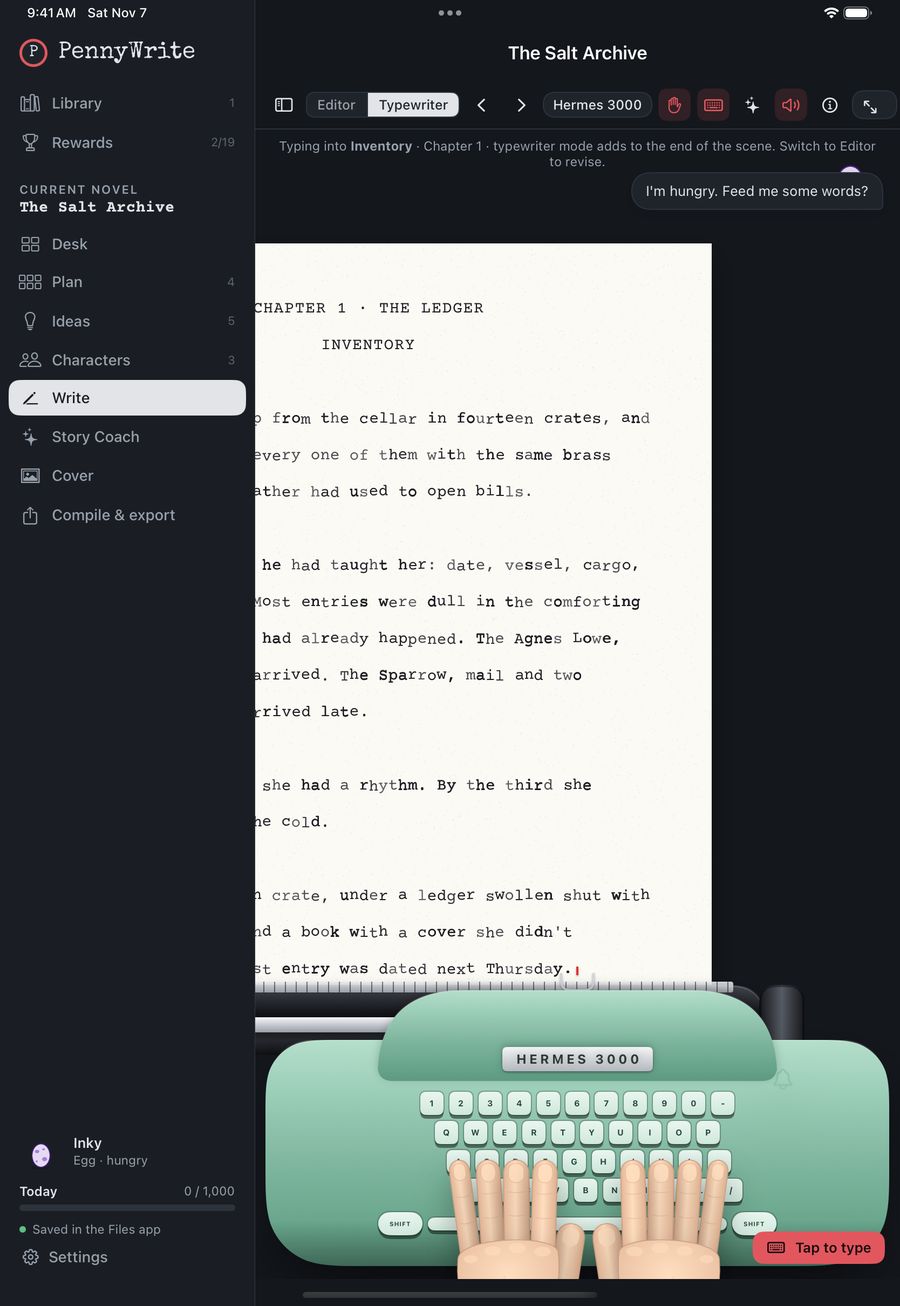
Mac
Available now as a signed, notarized download for macOS 14 or later, on Apple Silicon and Intel.
Download for MaciPad
Coming soon to the App Store, with Magic Keyboard shortcuts, the Files app and the same library format as the Mac.
Coming soon to theApp StoreSoonFrequently asked
What is PennyWrite?
A novel-writing app for Mac and iPad that makes showing up to write feel good. You plan on index cards, keep your characters and ideas in one place, write your manuscript, and export a finished book. Along the way you grow a writing companion, earn milestones, and, if you like, type on one of 13 vintage typewriters.
Is it just for fun, or can I write a real book in it?
A real book. The charm sits on top of serious tools: a binder of chapters and scenes, focus mode, word goals and streaks, a plan board, character profiles and a relationship map, and export to EPUB, PDF, RTF (Word and Pages) and Markdown, plus a cover designer.
Where is my writing stored?
In your own files, never on our servers. By default PennyWrite keeps your library on your Mac or iPad. You can move it into a folder in iCloud Drive, Google Drive or Dropbox to use it on more than one device. PennyWrite also keeps a daily backup (the newest 30).
Does PennyWrite use AI to write my book?
No. Story Coach is an optional helper that's built in with PennyWrite Pro. It answers questions about your plan and gives craft feedback, and it never writes into your manuscript. It only sends anything when you ask it a question, and it asks your permission first. You can also use your own Anthropic API key instead.
Do I need an account?
No. There's no sign-up and no login. Open the app and start writing.
Mac or iPad?
Both. The Mac version is available to download now. The iPad and Mac App Store versions are coming soon, and one PennyWrite Pro purchase will cover both.
How much does it cost?
In the App Store, PennyWrite Pro is $29.99 a year (with a 14-day free trial), $4.99 a month, or $59.99 once for lifetime access. On Mac you can also buy PennyWrite for Mac directly from us for $49.99 once (up to 5 Macs). See pricing for details. Launch prices may change.
More answers on the support page.
Your novel is waiting.
Made with care by Chris and Gigi: an author who wanted a writing app that was fun to open every day, and the husband who built it for her.
Free to download and look around · $49.99 one-time to start writing · Buy now